FX Loop
With SEND 1/2 and RETURN 1/2 you can place external pedals inside XR1's Signal Chain, or use XR1 as an effects unit together with another amp or speaker system.


Connect an External Pedal
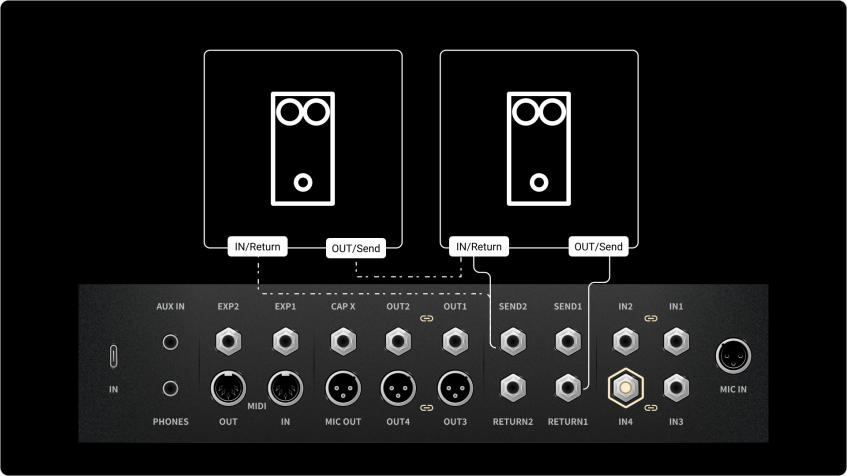
- Connect the equipment as shown: SEND to the input of the pedal, and the output of the pedal to RETURN. If you use more than one pedal, connect them in series, as shown by the dashed line.
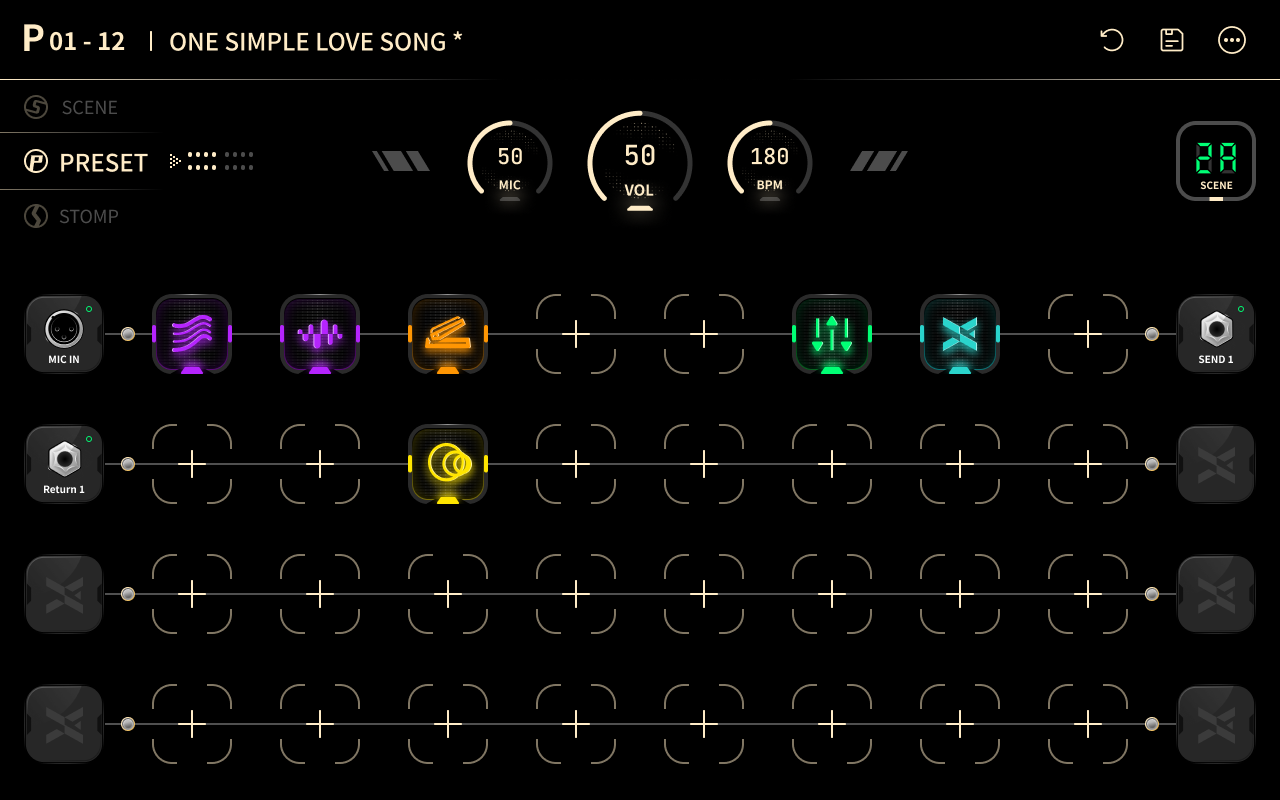
- Add an FX Loop effect to the Signal Chain. It sends the signal to the external pedal at that point and brings it back. See FX Loop Effect Parameters.
- To place a pedal between two paths, set the output of path 1 to SEND and the input of path 2 to RETURN.
FX Loop Effect Parameters
- SEND LEVEL: the level sent to the external device.
- RETURN LEVEL: the level received from the external device.
- Mix: 0 to 100. Sets the balance between the returned signal and the dry signal.
- Pan: sets the left/right balance of the returned signal.