Global EQ
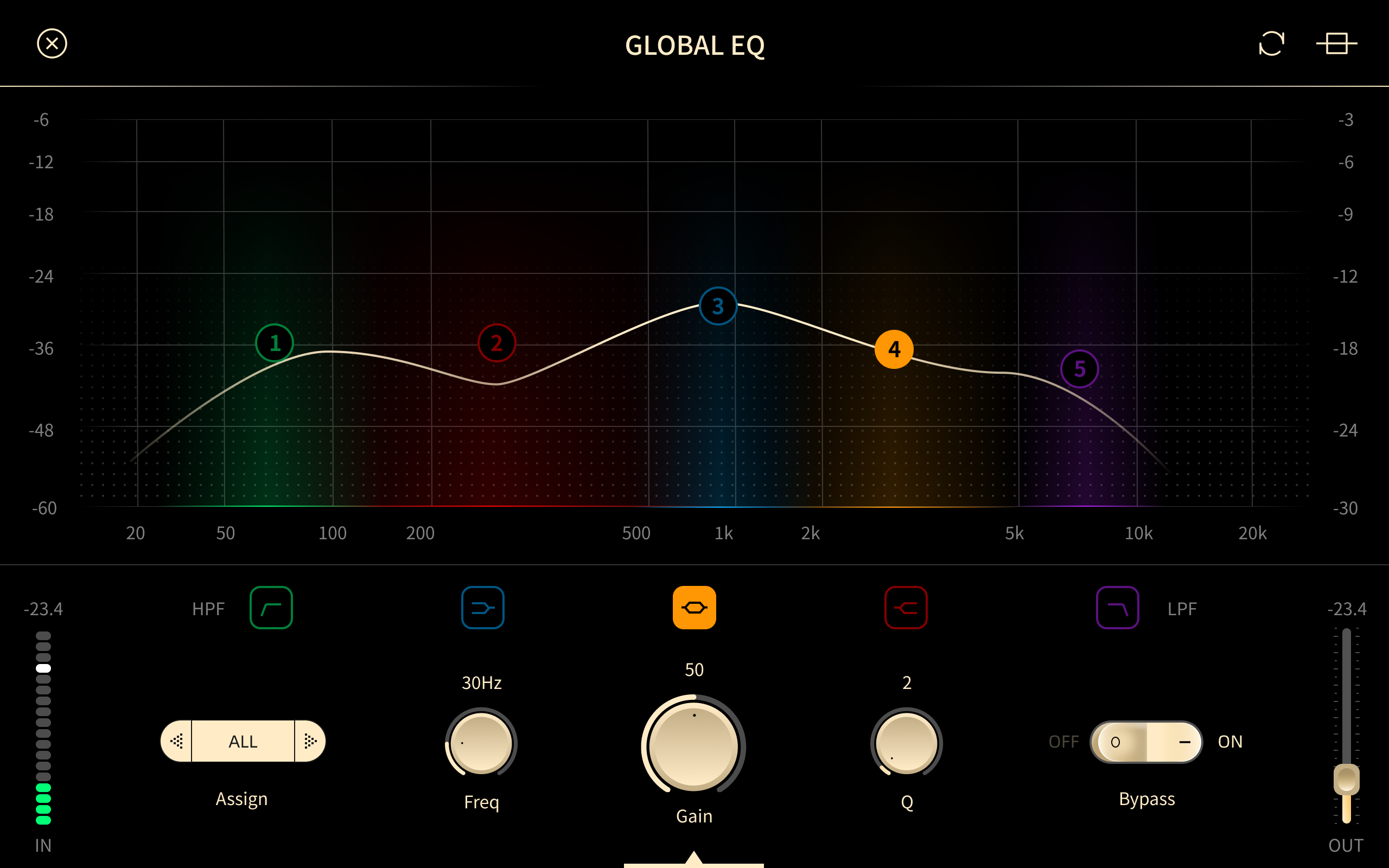
Global EQ is a five-band EQ applied to all outputs except the dry DI channels. Use it to adapt your sound to a room or a monitoring system without changing your Presets.
Drag a node to adjust it, or tap a node to edit its values precisely.
- Five-band EQ editor.
- Tap to select bands 1–5.
- Adjust the selected band:
- Assign: selects the output or outputs the EQ is applied to.
- Type:
 Peak: boosts or cuts a band around the node.
 Hi-Pass: removes frequencies below the node.
 Lo-Pass: removes frequencies above the node.
 Hi-Shelf: boosts or cuts all frequencies above the node.
 Lo-Shelf: boosts or cuts all frequencies below the node.
- Gain: the amount of boost or cut for this band.
- Freq: the frequency of the node.
- Q: the width of the band.
- Bypass: bypasses this band.
 Bypasses Global EQ.
 Resets all Global EQ parameters.