IR Loader
An impulse response (IR) is a short audio file that records how a speaker cabinet and microphone, or a physical space, shape a sound. When you load an IR, XR1 applies the same character to your signal.
- Cabinet IRs reproduce a speaker cabinet and the microphone in front of it.
- Space IRs reproduce the way sound travels and reflects in a room. A room with concrete walls sounds very different from one with wooden walls, and a 10 m² room sounds very different from a 100 m² one.
You can use the IRs built into XR1, or import your own and third-party IR files (.wav).
Load an IR File

- Add an IR Loader to the Signal Chain. Single and dual versions are available for cabinet IRs and for reverb (space) IRs.
- Tap the IR Loader to open its parameters, then browse and select an IR file.
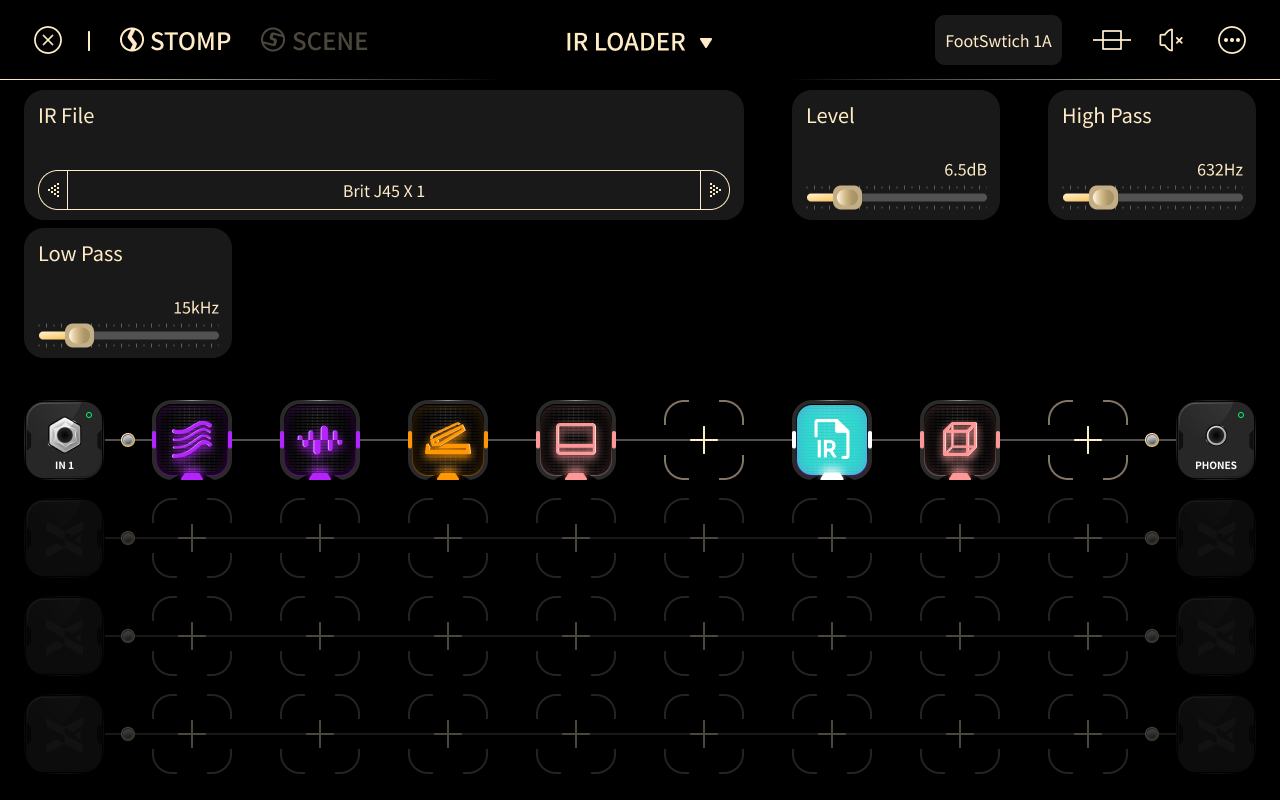
Parameters
- Bypass: turns this IR on or off.
- IR File: selects the IR file.
- Phase Flip: reverses the polarity of the IR.
- LPF: sets the cutoff frequency of the low-pass filter.
- HPF: sets the cutoff frequency of the high-pass filter.
- Delay: sets the time before the IR starts.
- Pan: sets the left/right balance.