Quick Start
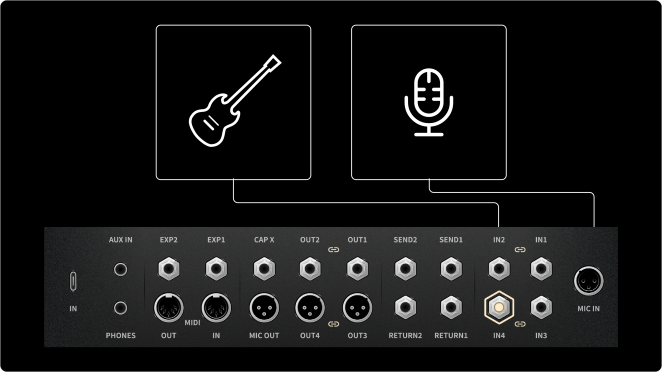
1. Connect an Instrument or Microphone
Connect your instrument to any INPUT jack.
Connect a microphone to MIC IN.
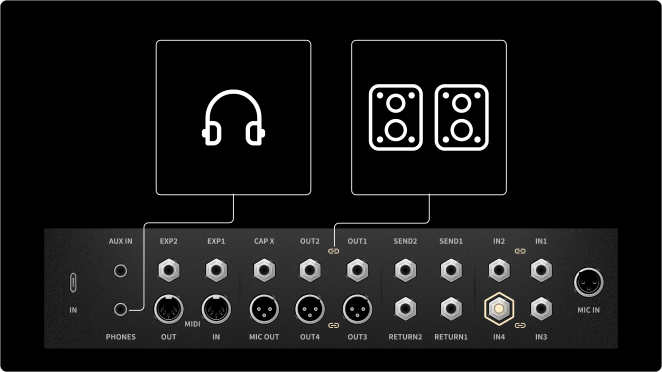
2. Connect Monitors or Headphones
Connect your studio monitors, PA, or FRFR cabinet to OUT 1/2 (1/4-inch) or OUT 3/4 (XLR).
Alternatively, connect headphones to PHONES.
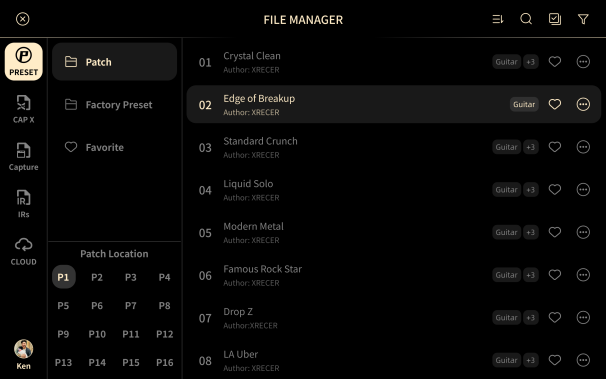
3. Select a Preset
Tap and hold P01-01 in the upper-left corner to open the Preset list, then select a Preset.
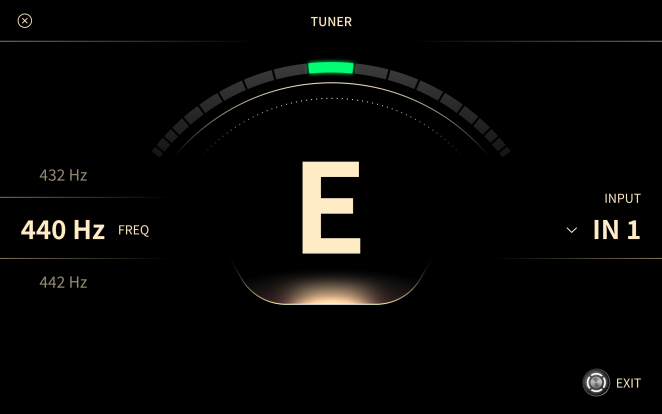
4. Tune Your Instrument
Press and hold the TEMPO/TUNER footswitch to open the Tuner.
Play a string and tune your instrument. The Tuner does not change your tone.
5. Adjust Your Tone and Effects
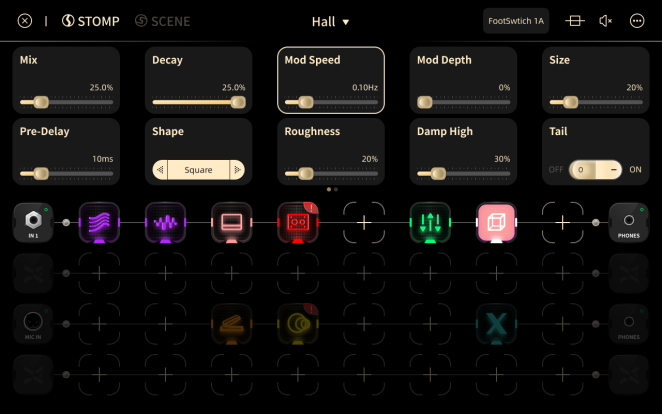
Tap an effect to open its parameters, then adjust them until you get the tone you like.
Double-tap an effect to bypass or activate it.
Tip
Tap the parameter you want to adjust, then turn the Global Value knob.
6. Play
You are ready to play.